
Recently, Valve released a major VR title for Half-Life, which prompted me to purchase an Oculus Link cable and restart my PC VR journey with the Oculus Quest. After trying the Link technology, I was generally satisfied with the experience, but I still wanted better results, so I became curious about the highly acclaimed Virtual Desktop. In addition to testing with my own Xiaomi router, I also purchased a new router supporting MU-MIMO to avoid streaming speed impacts when multiple devices are connected. Below are my testing insights.
Oculus Link Headset Connection Cable
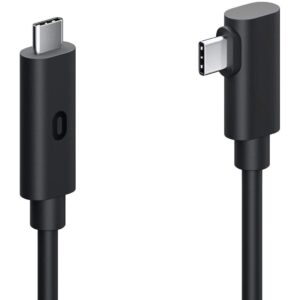
- Data
- Cable NT$2400
- USB 3.0 to Type C adapter (VL160 chip) NT$300
- Software provided officially for free
- Cable length 5 meters
- Includes a cable holder for the Quest headset to prevent the cable from detaching
- Pros
- Can play PC VR on Quest
- Latency for both display and controllers is lower than wireless
- No occasional stuttering issues found in wireless
- Can charge while playing
- Cons
- High compression rate causes dull colors, and the compression rate cannot currently be adjusted
- Frequently gets snagged on the cable when turning, affecting VR immersion; a cable suspension rig can improve the experience, but it is still less convenient than wireless
Lion’s Rating
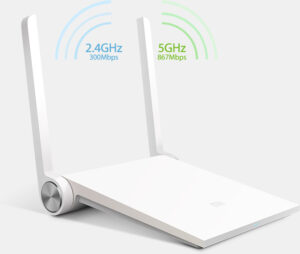
Old Wi-Fi 5 Wireless Router (Supports 802.11ac) + Virtual Desktop
- Data
- Router NT$600
- Software NT$600
- Average latency 25ms, excluding controller latency
- Maximum video bitrate approximately 49Mbps
- Battery life approximately 2.5 hours
- Pros
- Can play PC VR on Quest
- Freedom from cable constraints improves VR immersion
- Audio-video streaming compression technology is good, with colors better than Oculus Link
- Cons
- Latency is about double that of wired, but still within an acceptable range
- Wireless is susceptible to environmental interference, occasionally stuttering, with stability inferior to Oculus Link
- The Xiaomi router cannot fully utilize 802.11ac performance, resulting in a transfer rate of only 49Mbps
- Currently, all wireless VR headsets suffer from low battery life
- Multiple device connections affect streaming speed
Lion’s Rating
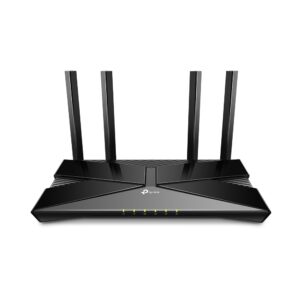
Wi-Fi 6 Wireless Router (Supports 802.11ax, MU-MIMO) + Virtual Desktop
- Data
- Router NT$2300
- Software NT$600
- Average latency 25ms, excluding controller latency, with measured figures more stable than the previous setup
- Maximum video bitrate approximately 92Mbps
- Battery life less than 2.5 hours
- Pros
- Can play PC VR on Quest
- Freedom from cable constraints improves VR immersion
- Audio-video streaming compression technology is good, with colors better than Oculus Link
- MU-MIMO technology can reduce the impact of multiple device connections on streaming
- Cons
- Latency is about double that of wired, but still within an acceptable range
- Wireless is susceptible to environmental interference, occasionally stuttering, with stability inferior to Oculus Link
- Oculus Quest only supports up to 802.11ac; I chose 802.11ax directly considering future upgrades and other uses
- Currently, all wireless VR headsets suffer from low battery life
- A higher video bitrate causes the Quest headset, which already has poor battery life, to consume more power; surprisingly, the difference in image quality between 92Mbps and 49Mbps is not significant in general games, but in action games, the blurriness caused by insufficient streaming rate is noticeable.
Conclusion
- The Oculus Link technology using cables offers absolutely stable streaming and low latency, suitable for action games and others requiring fast response and low latency in display and control; however, gaining this advantage comes with the inconvenience of cable movement. The drawback is that high image compression rates cause a hazy appearance, which is not harmful if not compared side-by-side.
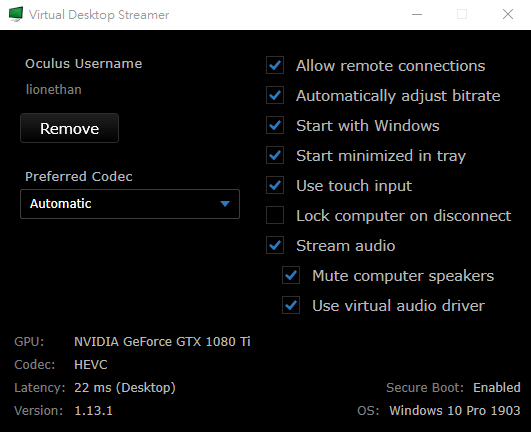
- The wireless Virtual Desktop streaming technology is suitable for watching movies with only 24 FPS or games that do not require fast response and low latency; however, in action games, the smooth movement enabled by wireless adds to its advantages. Occasional stuttering does not affect the gaming experience, so it is applicable to most games, and players are recommended to adopt this solution.
- Recently, Oculus required Virtual Desktop to remove game streaming functionality, forcing users to unlock it themselves via SideQuest; this is likely because Virtual Desktop’s streaming technology is too strong, causing players with high-end PCs to shift most of their spending to platforms like Steam and Viveport, which indeed hinders the development of the Oculus Store; particularly for games developed for the Quest all-in-one device and video content on the platform.


